

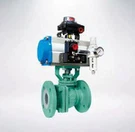
As a reputable supplier of API Gate Valves, I understand the importance of ensuring these critical components operate smoothly. The actuator of an API Gate Valve is a key part that can sometimes encounter problems. In this blog, I'll share some effective troubleshooting methods to help you address issues with the actuator of an API Gate Valve.
Understanding the Actuator of API Gate Valve
Before we delve into troubleshooting, it's essential to have a basic understanding of the actuator in an API Gate Valve. The actuator is responsible for opening and closing the valve, which can be controlled manually, electrically, pneumatically, or hydraulically. Each type of actuator has its own characteristics and potential problem areas.
Manual Actuators
Manual actuators are the simplest form, typically operated by a handwheel or lever. They are reliable but can be physically demanding to operate, especially for larger valves. Common problems with manual actuators include mechanical wear and tear, such as worn gears or a seized handwheel.
Electric Actuators
Electric actuators use an electric motor to drive the valve. They offer precise control and can be integrated into automated systems. However, electrical issues like power supply problems, motor failures, or faulty control circuits can disrupt their operation.
Pneumatic Actuators
Pneumatic actuators rely on compressed air to function. They are known for their fast operation and high force output. Problems with pneumatic actuators often stem from air leaks, insufficient air pressure, or clogged air filters.
Hydraulic Actuators
Hydraulic actuators use hydraulic fluid to generate force. They are suitable for high-pressure applications. Issues with hydraulic actuators may include fluid leaks, pump failures, or problems with the hydraulic control system.


Troubleshooting Steps
Step 1: Visual Inspection
The first step in troubleshooting any actuator problem is a thorough visual inspection. Check for obvious signs of damage, such as broken parts, loose connections, or leaks. For electric actuators, look for signs of overheating, such as burned insulation or a hot motor. In pneumatic and hydraulic actuators, inspect for air or fluid leaks around the seals and connections.
- Check the Mounting: Ensure that the actuator is securely mounted to the valve. Loose mounting can cause misalignment and affect the valve's operation.
- Inspect the Linkages: Examine the linkages between the actuator and the valve stem. Make sure they are properly connected and not bent or damaged.
Step 2: Check the Power or Energy Source
Depending on the type of actuator, verify that the power or energy source is functioning correctly.
- Electric Actuators: Check the power supply to the actuator. Ensure that the circuit breaker or fuse is not tripped, and the voltage is within the specified range. You can use a multimeter to measure the voltage at the actuator terminals.
- Pneumatic Actuators: Check the air supply pressure. Use a pressure gauge to ensure that the pressure is within the recommended range. Also, inspect the air lines for any blockages or leaks.
- Hydraulic Actuators: Check the hydraulic fluid level and pressure. Low fluid levels can cause the actuator to malfunction. Look for signs of fluid leaks and ensure that the hydraulic pump is operating properly.
Step 3: Test the Control System
If the actuator is part of an automated control system, test the control signals to ensure they are reaching the actuator correctly.
- Check the Control Signals: Use a signal tester or oscilloscope to verify that the control signals are within the correct range and have the proper waveform.
- Inspect the Control Panel: Check the control panel for any error messages or indicator lights. Refer to the actuator's manual to interpret the error codes.
Step 4: Lubrication and Maintenance
Proper lubrication is crucial for the smooth operation of the actuator. Check the lubrication levels and condition of the moving parts.
- Lubricate the Moving Parts: Apply the recommended lubricant to the gears, bearings, and other moving parts of the actuator. Follow the manufacturer's instructions for the type and frequency of lubrication.
- Clean the Actuator: Remove any dirt, debris, or corrosion from the actuator. This can prevent premature wear and damage to the components.
Step 5: Perform Function Tests
After completing the above steps, perform function tests to ensure that the actuator is operating correctly.
- Open and Close the Valve: Manually or automatically operate the actuator to open and close the valve several times. Observe the movement of the valve and listen for any unusual noises.
- Check the Position Indicator: Verify that the position indicator on the actuator accurately reflects the position of the valve.
Common Problems and Solutions
Problem 1: Actuator Does Not Move
- Possible Causes:
- Power supply failure
- Mechanical obstruction
- Control system malfunction
- Solutions:
- Check the power supply and repair or replace any faulty components.
- Remove any mechanical obstructions from the actuator or valve.
- Test and repair the control system as described in Step 3.
Problem 2: Actuator Moves Slowly or Erratically
- Possible Causes:
- Insufficient power or energy supply
- Worn or damaged components
- Air or fluid leaks
- Solutions:
- Increase the power or energy supply if necessary.
- Replace any worn or damaged components.
- Repair any air or fluid leaks.
Problem 3: Actuator Overheats
- Possible Causes:
- Overloading
- Electrical short circuit
- Poor ventilation
- Solutions:
- Reduce the load on the actuator.
- Check for and repair any electrical short circuits.
- Improve the ventilation around the actuator.
Additional Resources
If you're looking for specific types of API Gate Valves, we offer a range of high-quality products, including Flat Bottom Brake Seat, Ceramic Lined Gate Valve, and Cast Steel Gate Valves. These valves are designed to meet the highest industry standards and provide reliable performance.
Conclusion
Troubleshooting problems with the actuator of an API Gate Valve requires a systematic approach. By following the steps outlined in this blog, you can identify and resolve most common issues. However, if you encounter complex problems or are unsure about the troubleshooting process, it's advisable to consult a professional technician.
If you're in the market for API Gate Valves or need further assistance with valve troubleshooting, feel free to reach out to us for a detailed discussion and to explore our product offerings. We're committed to providing you with the best solutions for your industrial needs.
References
- API Standards for Gate Valves
- Manufacturer's Manuals for API Gate Valve Actuators
- Industrial Valve Handbook